Perch lives in your Mac’s menu bar. Press ⌥Space, type a word you remember, or just what the page was about, and it brings that tab forward from Chrome, Safari or Firefox. Even the one you closed on Tuesday.
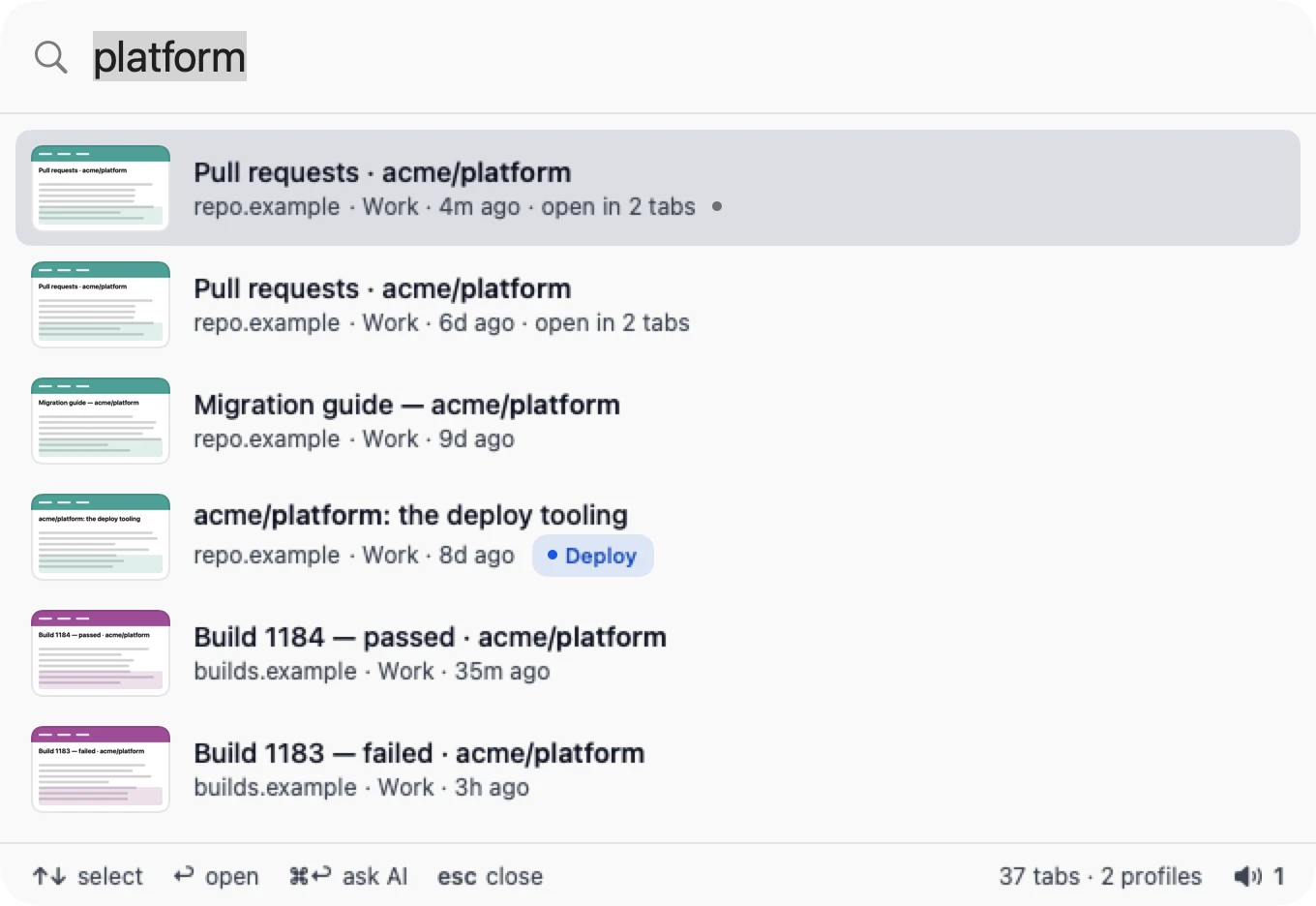
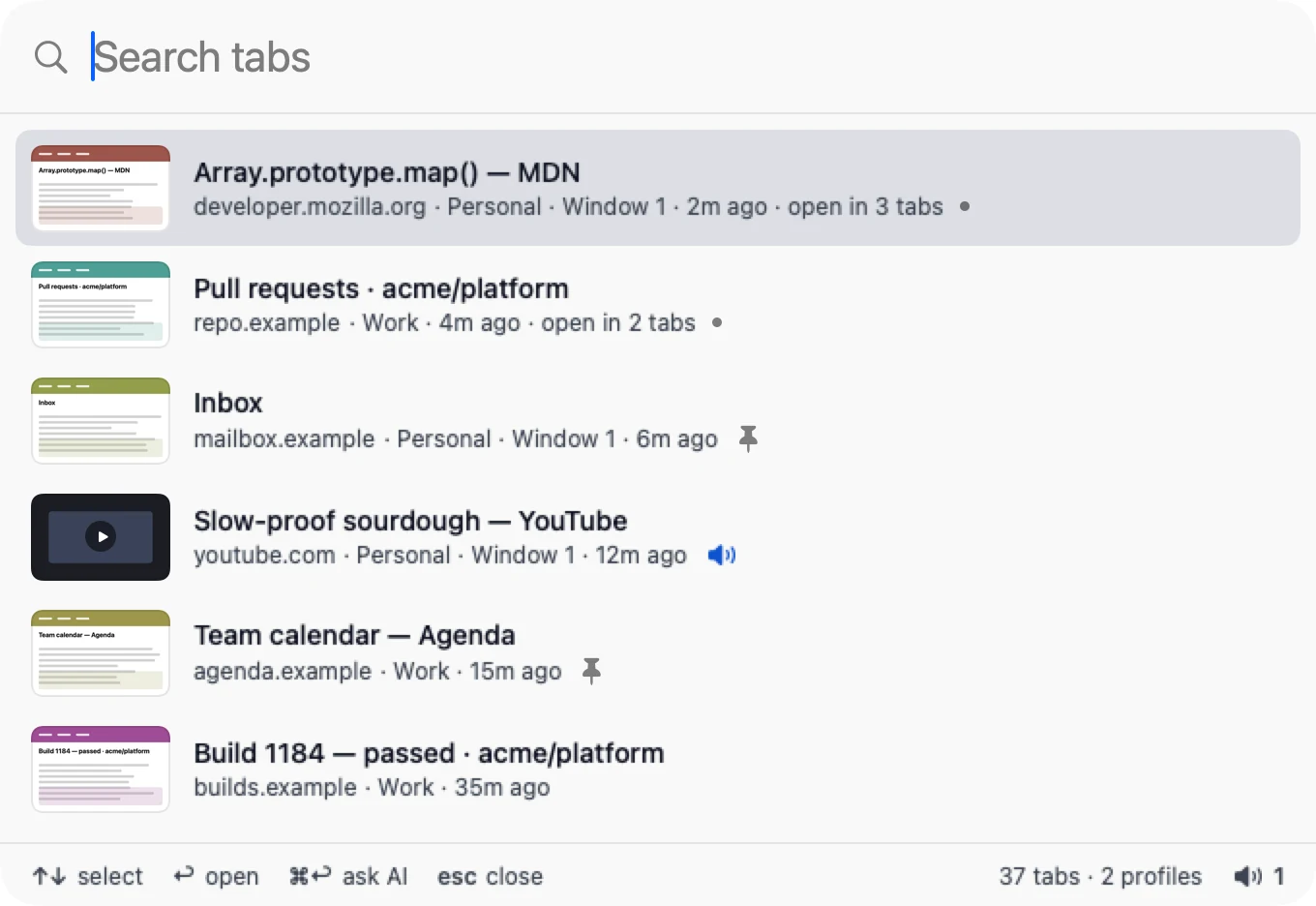
Press ⌥Space here, or click the keys. Plate 1 turns through Perch’s own renders.
abcd
Plate 1
The palette, a moment after ⌥Space, searching “platform”. Rendered by Perch itself, from sample tabs.
awhat you typedbwhich profile, how long agocits tab groupdask by meaning instead
1 in 4About one in four people in a 2021 Carnegie Mellon study had their browser or computer crash from too many tabs.1
“Fear of this blackhole effect was so strong that it compelled people to keep tabs open even as the number became unmanageable.”
Aniket Kittur, Carnegie Mellon University, on the tab study he led in 2021
Perch is for closing tabs without losing them. Close what you’re done with. When you need it again, search for it, and Perch opens it at the passage you searched for.
1. “When the Tab Comes Due: Challenges in the Cost Structure of Browser Tab Usage”, CHI 2021. cmu.edu/news, May 2021.
A key to the tab you can’t find
Field guides identify a bird in a few questions. Perch finds a tab the same way.
1
You remember a word from itgo to 2
You only remember what it was aboutgo to 3
2
It’s still open, somewherepress Return
Perch switches to it, in whichever browser, profile and window it’s in.
You closed itsee Plate 2
Return reopens it, scrolled to the words that matched.
3
Describe it, then press ⌘↩AI search
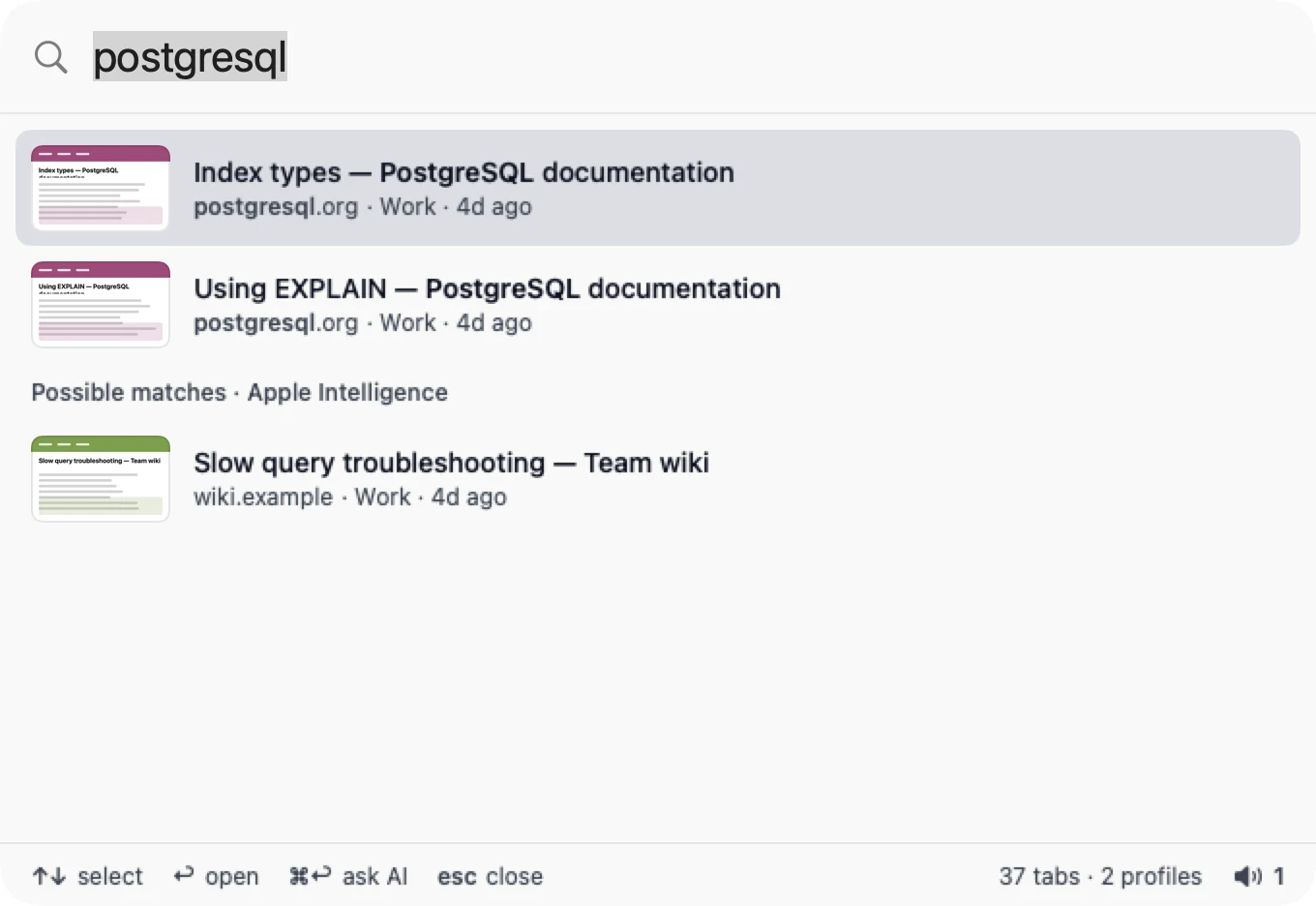
“The slow database query I was debugging.” Perch on-device lists the tabs it’s about as possible matches, free and on your Mac. See Plate 3.
a
Plate 3 Possible matches (a), below the keyword results, with no percentage. Perch on-device and Apple Intelligence (shown) answer this way; your own key ranks instead.
autovacuum
Not open. You closed it Tue 3:10 pm. Return reopens it.
Seen before · 3 pages · on this Mac
Autovacuum tuning: what actually helps
pgnotes.example · closed Tue 3:10 pm · read 6 min
…set autovacuum_vacuum_scale_factor lower on big tables so vacuum starts sooner…
Plate 2 Seen before. Perch keeps each page’s title and a few short passages, on this Mac, for 30 days; Settings offers 7 or 90 days, or no limit.
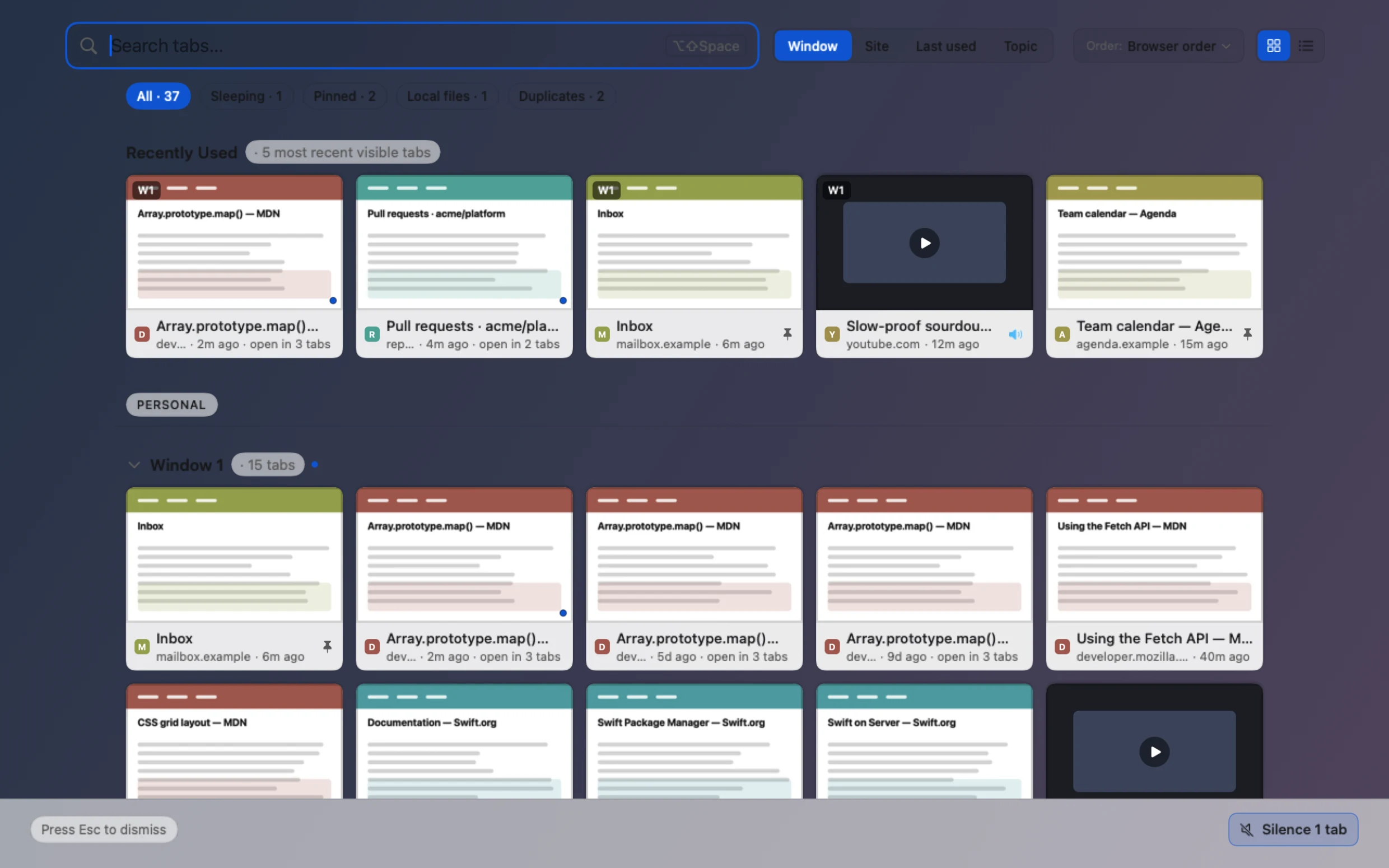
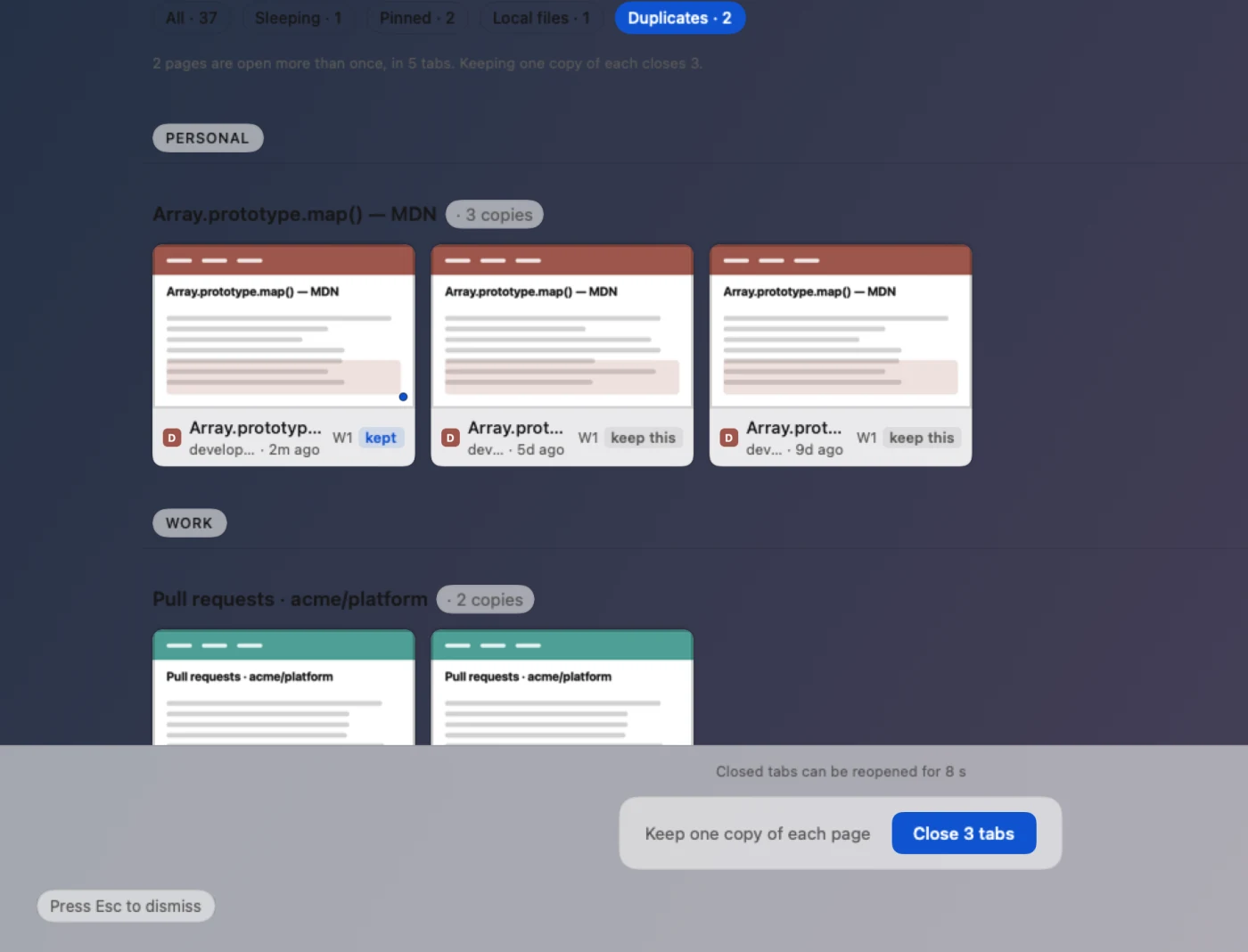
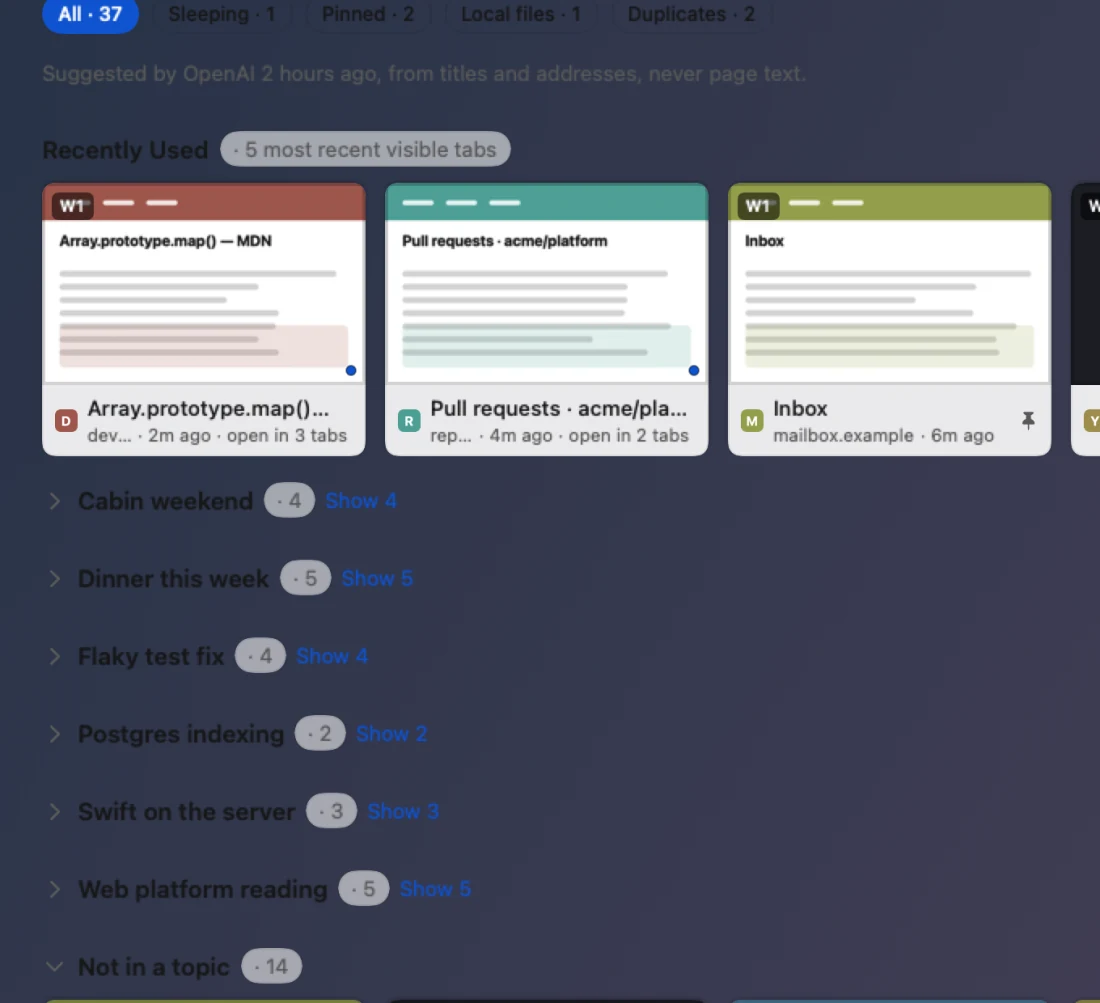
Plate 4 The Tab Overview, ⌥⇧Space.
See every tab at once.
Every tab as a card: by window, by site, by when you last used it, or by topic. The Duplicates view closes the extra copies in one go and keeps one of each. Pinned tabs are never closed.
Two duplicates. One of each stays.
Plate 4a Duplicates: one section per repeated page; Close 3 tabs keeps one copy of each. Change your mind and the band offers Reopen all.Plate 4b Topic, with your own AI key: suggested from titles and addresses, never page text.
For people who live in a terminal
Perch answers Claude Code, Codex and other MCP clients. Your agent can list, find and read your tabs. With Read and act on, it can open, group and close them too, and closing always shows a preview first.
There’s a perch command for scripts as well; the manual shows how to set it up.
Settings → Advanced → AI assistants:Read onlyRead and act
Add Perch to Claude Code, once:claude mcp add --scope user perch -- "/Applications/Perch.app/Contents/Helpers/PerchMCPHost"Then ask it, in plain words:> Which of my tabs are about the deploy? Close the old build pages.Or from a script:$ perch tabs --url github.com --idle 7d$ perch close --url github.com --idle 7d # a preview; nothing closes without --confirm
Perch the menu-bar robin
A field-guide entry for an app, not a real species.
Nests
In the menu bar. Never in the Dock.
Call
⌥Space. A second call, ⌥⇧Space, brings the Tab Overview.
Feeds on
Open tabs in Chrome, Safari, Firefox and Aside.
Remembers
Titles and short passages of what you read, on this Mac, for 30 days.
Temper
Quiet until you need it.
Field note1 of 3
Perching birds have a tendon-locking mechanism in each foot: bending the leg tightens the toes around the branch, without muscle effort.
Quinn and Baumel, “The digital tendon locking mechanism of the avian foot”, Zoomorphology 109, 1990.
What stays on your Mac, and what leaves
Stays on this Mac
Your tabs, their titles and addresses, the pages you read, what you search for, and Memory. AI search with Perch on-device runs here too.
Leaves when you choose
AI search or topic sorting with your own key sends tab titles and addresses to the provider you picked, and nowhere else.
Once a day
Perch checks for a new version, which you can turn off. Perch on-device’s model downloads only when you first ask for it.
Close the tabs you’re done with. Perch will find them.
Not available yet
Free. No account. For Macs with Apple silicon.
Perch Plus, a paid plan with your full Memory history and Ask Perch, is coming later. Open-tab search and the last 14 days of Memory will stay free. Pricing